
Case study · Internal tool
People and agents on the same board.
Every project is a node on a map. Every task has an owner — a person or an AI agent — and a deadline. When an agent needs a decision it asks here and waits; when something is critical, Atlas sends a Telegram alert.
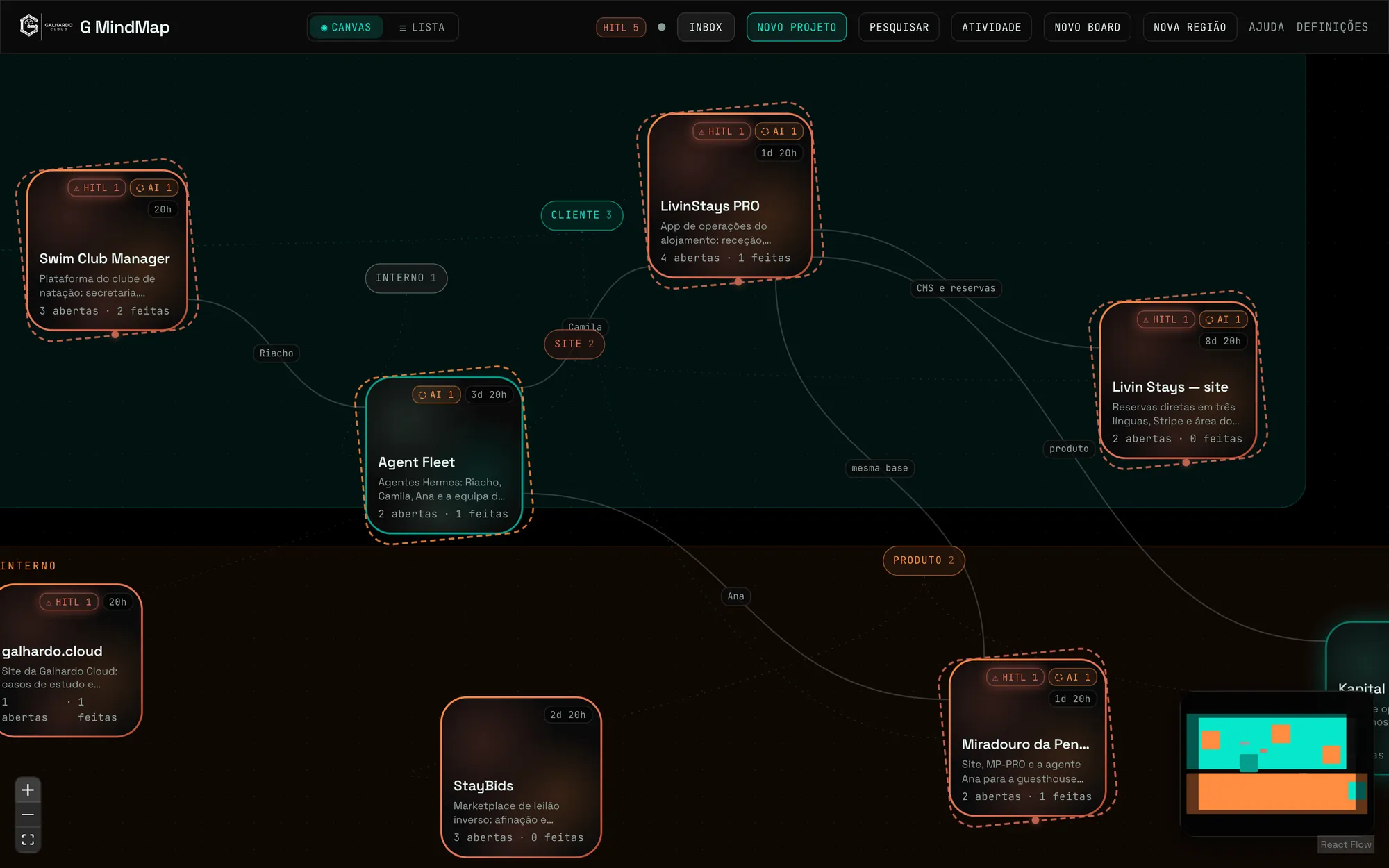
The screenshots use invented data — no real task, decision or conversation; only the project names are the portfolio’s.
- Client
- Galhardo Cloud, internal use
- Used by
- The team and the AI agents (Hermes)
- In production
- Since September 2026
- Stack
- Next.js · React Flow · Supabase
-
22
tables with row-level security
-
20
API routes for agents, webhooks and sharing
-
35
versioned migrations
-
1 900+
automated tests
-
7
owners: agents and people
The tool’s figures in October 2026.
Context
Where it started
With several client projects under way and a team of AI agents working on them, the work was scattered across chats, boards and notifications. There was no single place to see what is open, who has it — person or agent — and what is waiting for a human decision.
G MindMap is that place. Agents log and update tasks through the API; people decide on screen or on Telegram; and the map shows where the work is.
Map
Projects as clouds on a map.
Each project shows its open and finished tasks, how many wait for a person (HITL) and how many are with an agent. Links say what depends on what; regions and tags group clients, products and internal work.
- Drag, link and group projects
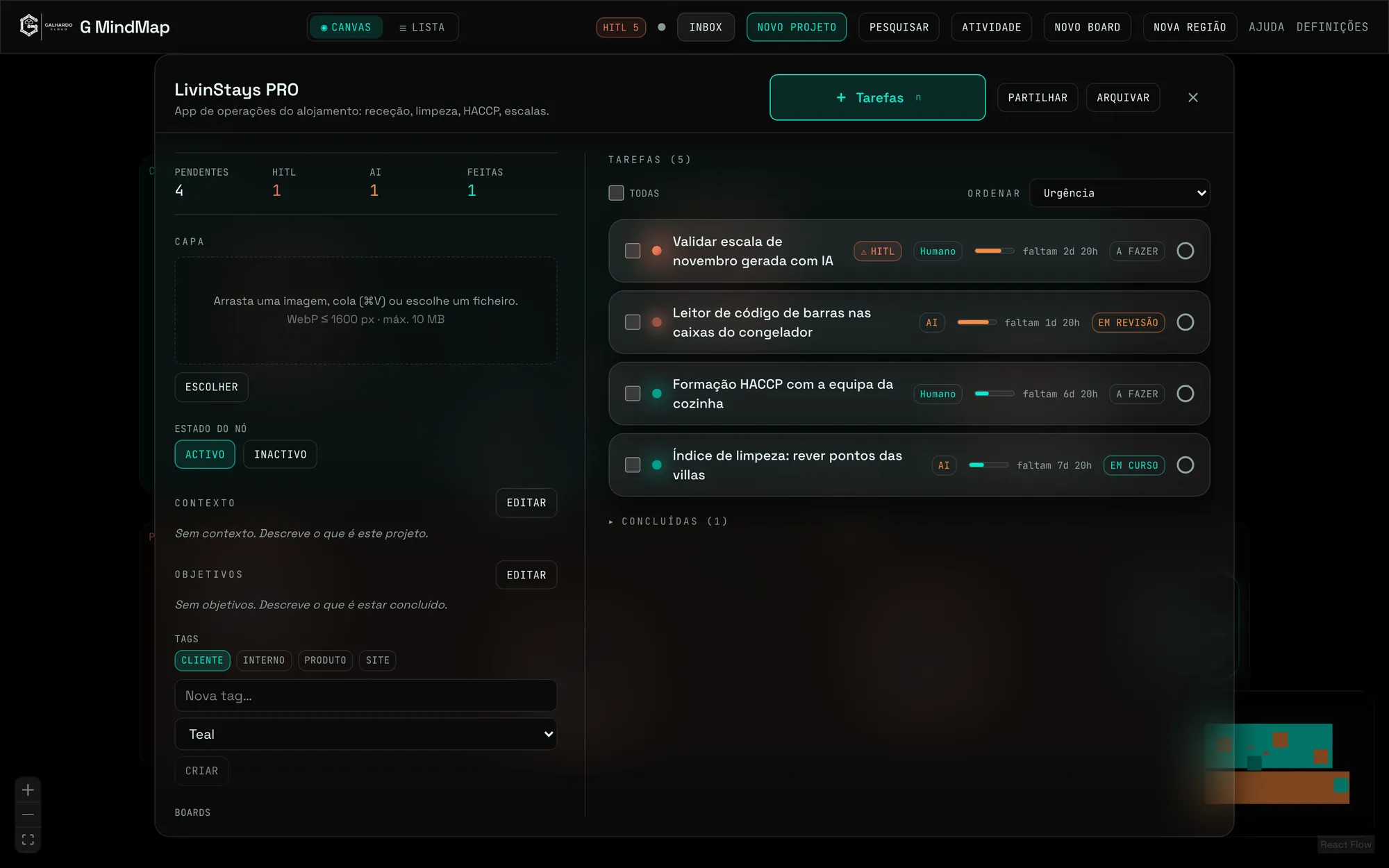
- The project panel: tasks by urgency, context, goals and tags
- Share links so people without an account can see or complete a task list
Tasks
Every task has an owner and a deadline.
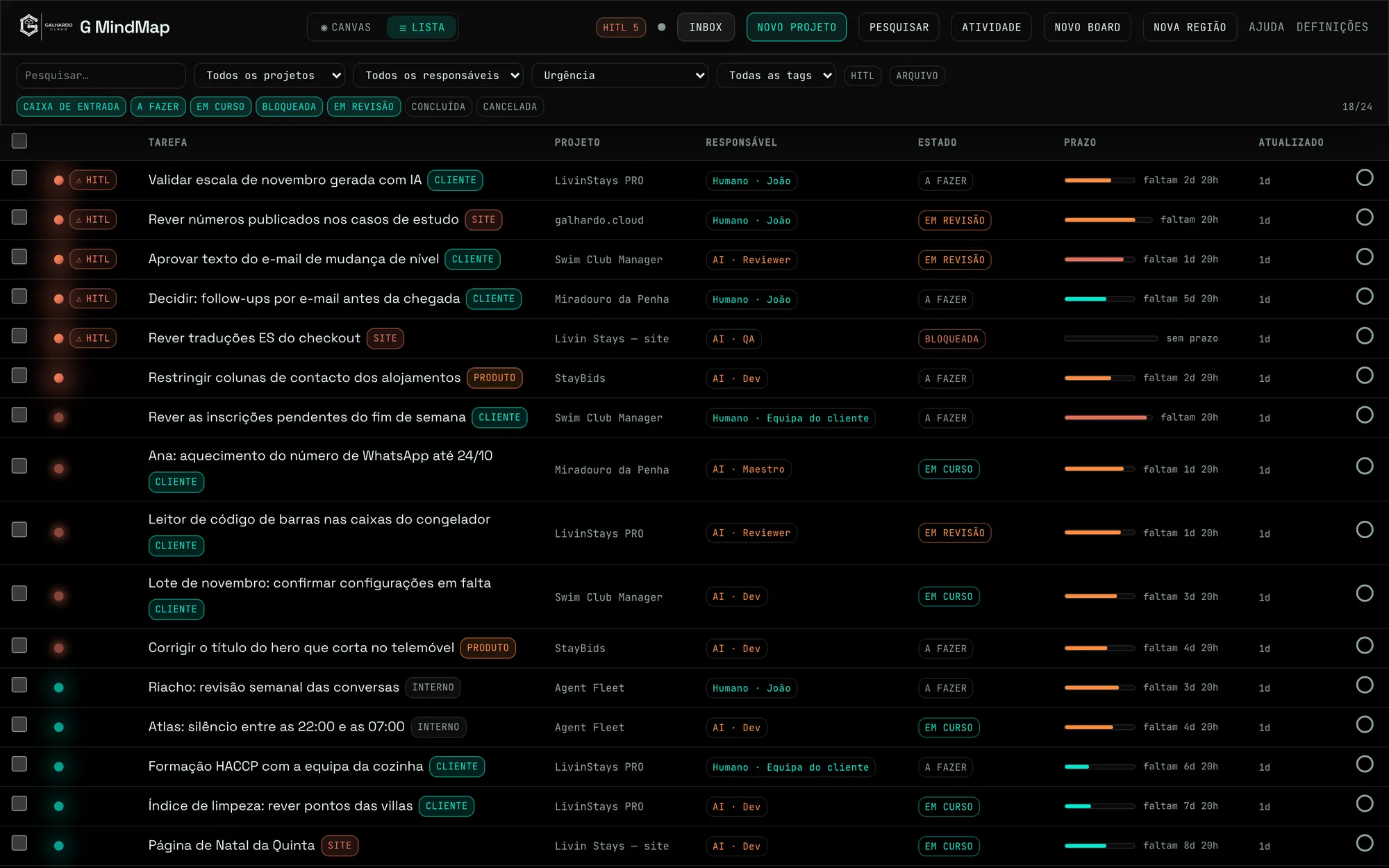
The list brings every project’s tasks together, sorted by urgency, with the owner — human or agent —, the status and the time left. Those blocking an agent rise to the top.
- An inbox for what arrives by webhook or from the agents
- Filters by project, owner, status and tag
- Search across every project
Agents
Agents ask, people decide.
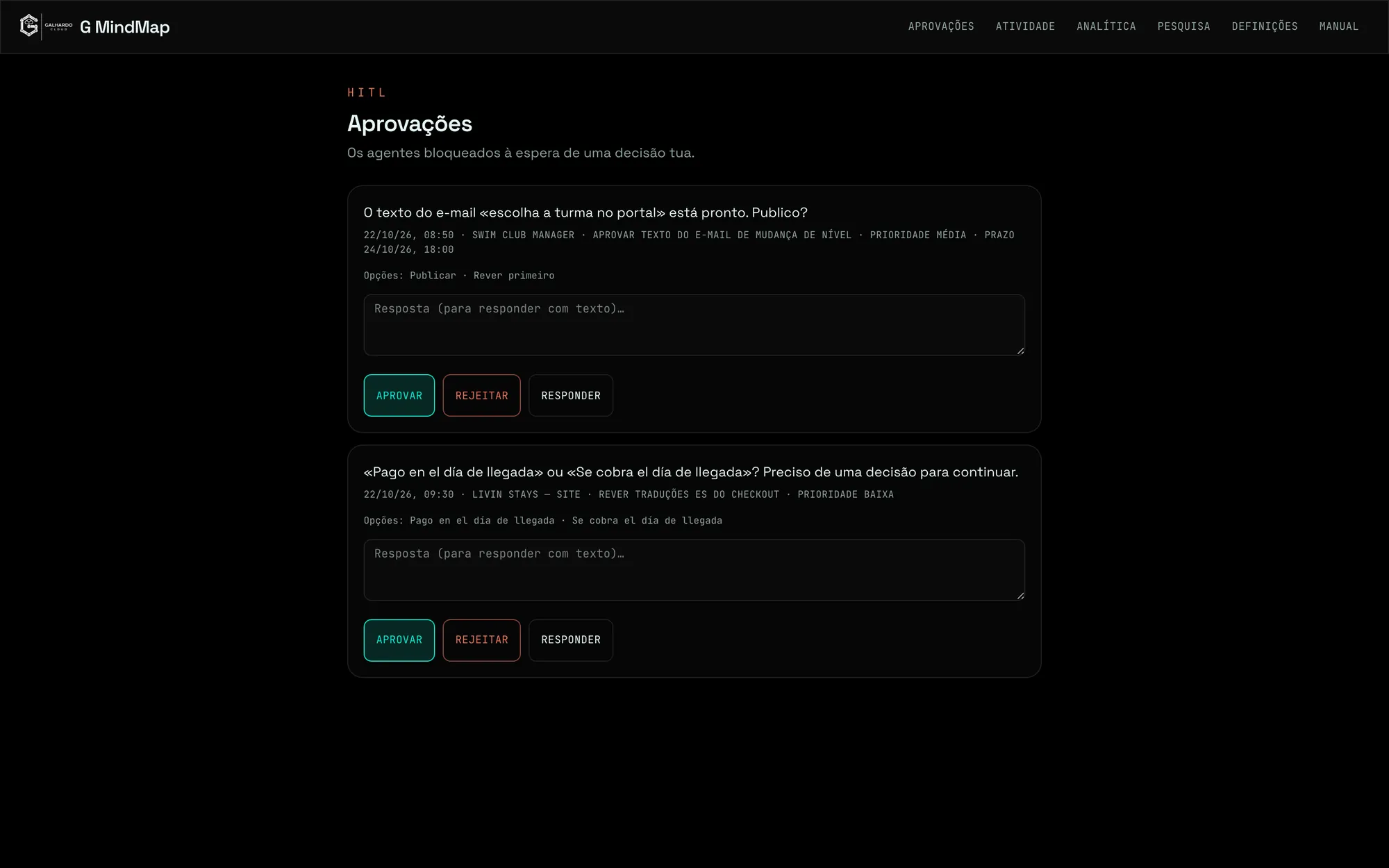
When an agent needs a decision it opens a request with the options and waits. Approving, rejecting or answering happens here or on Telegram, and the answer goes back to the agent. Atlas triages alerts and only interrupts when something is critical.
- Decision requests with options and a free-text answer
- An API with keys and permissions per agent; a signed webhook to receive work
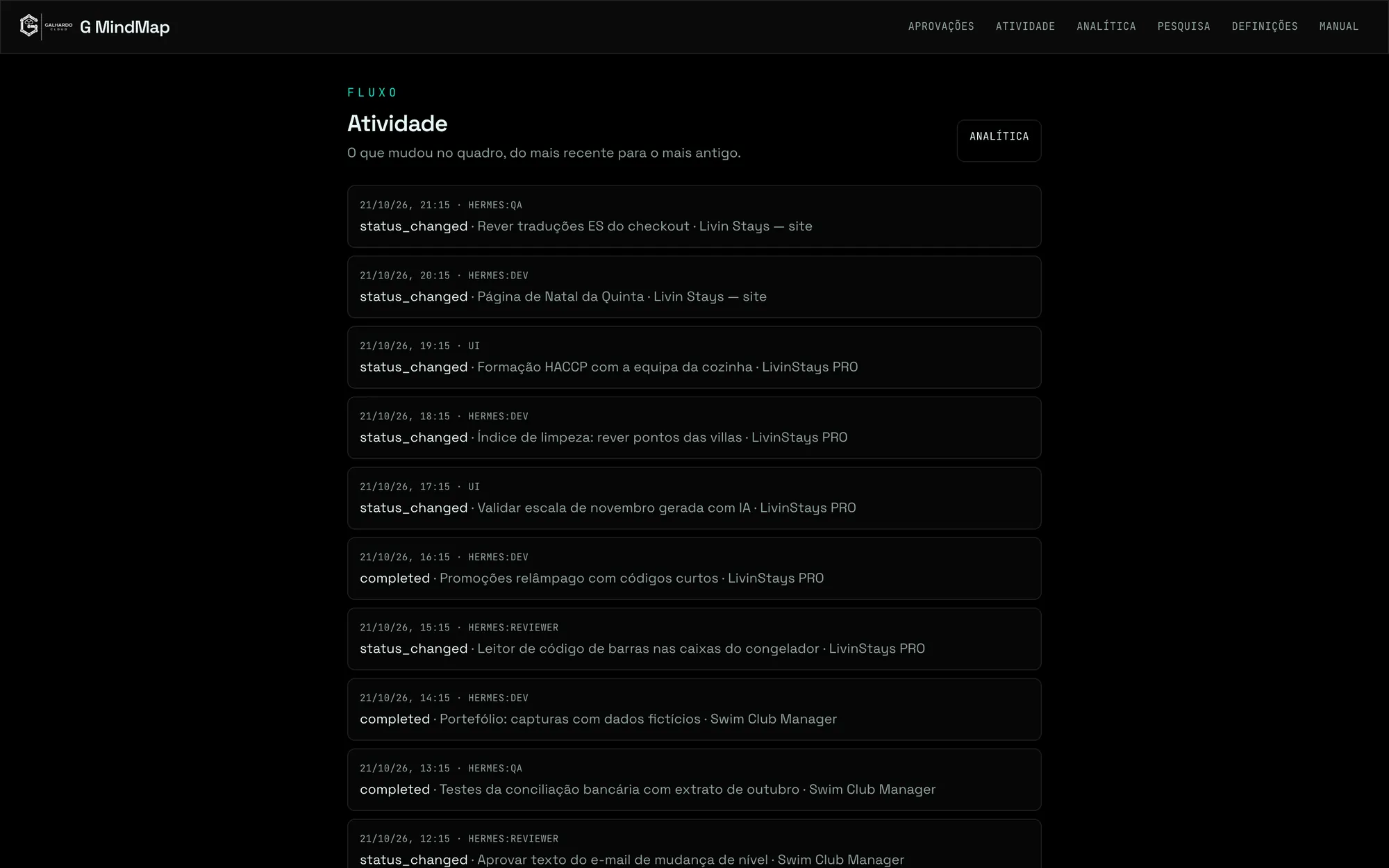
- Activity: everything that changed, and by whom — person or agent
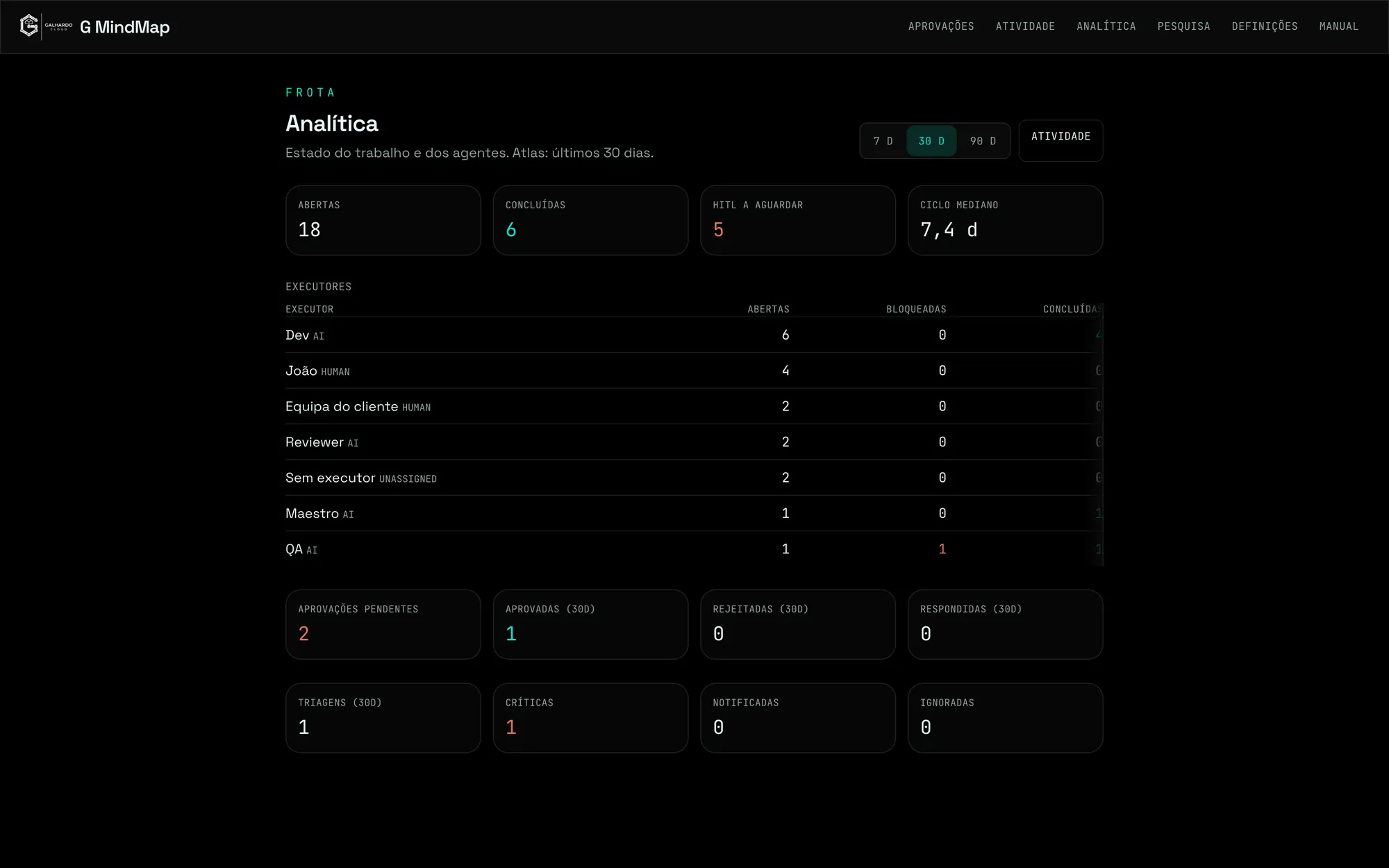
- Analytics: open tasks, decisions pending and each owner’s work
Integrations
Connected to the agents and to whoever decides.
-
Hermes
Agents log and update tasks and ask for decisions through the API.
-
Telegram
Decisions and critical alerts reach the phone.
-
Supabase
Postgres with row-level security, code-based sign-in and storage.
-
Webhooks
Work from other systems lands signed in the inbox.
Engineering
How it is built
- 01
Next.js with React Flow for the map and server-side reads with the admin session
- 02
Sign-in by an e-mailed code, renewed every 24 hours
- 03
Row-level security on every table; agents come in with their own keys and limited permissions
- 04
More than 1,900 automated tests plus end-to-end tests
Outcome
Nothing that needs a human decision gets lost in a chat: it is on the map, with an owner and a deadline.
Next step
Want AI agents working alongside your team?
A 30-minute conversation is enough for us to say what to automate first, what it costs and when it is ready.